Tổng quan cài đặt Thu ngân
import { Card, CardGrid, Aside } from ‘@astrojs/starlight/components’;
Hub cài đặt là gì?
Phần tiêu đề “Hub cài đặt là gì?”Từ shell Thu ngân (POS), mở Cài đặt ở thanh nav bên để vào /point-of-sale/settings. Đây là hub chứa toàn bộ cấu hình cho PC quầy này: cửa hàng active, thiết bị ngoại vi, ngôn ngữ, và công cụ quản trị local (chỉ trên Vendor Desktop).
Source: apps/vendor-web/src/app/point-of-sale/pages/settings/settings-page.tsx.
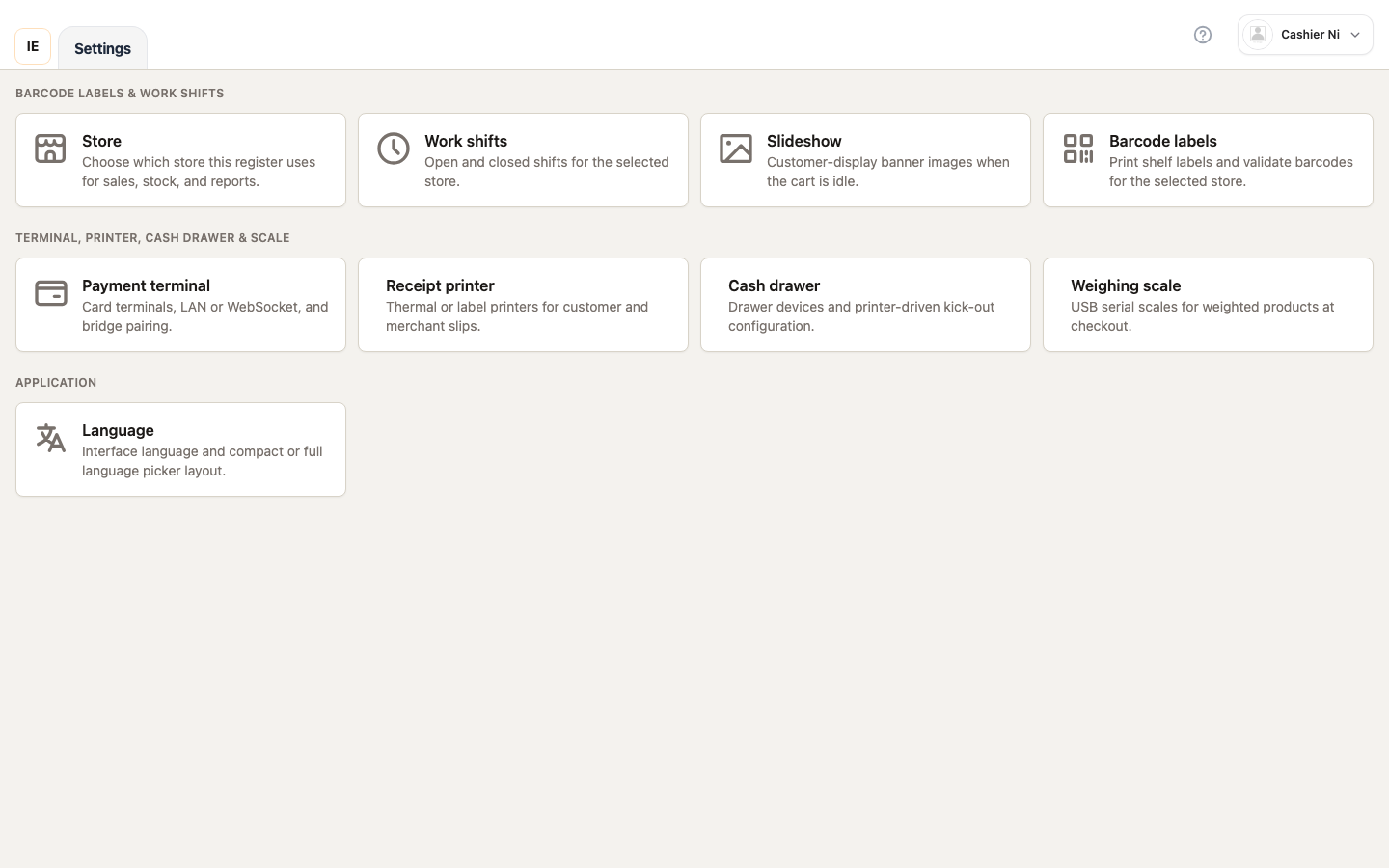 Hình: Toàn bộ hub cài đặt — 3 section (Vận hành / Thiết bị / Ứng dụng) hiển thị đầy đủ. Spec owner:
 cashier-screenshots.spec.ts → "settings — hub".
3 section trong hub
Phần tiêu đề “3 section trong hub”1. Vận hành (Operations)
Phần tiêu đề “1. Vận hành (Operations)”Hiển thị khi cashier có pos ghi. Các mục con:
| Mục | Đường dẫn | Điều kiện thêm |
|---|---|---|
| Cửa hàng | /point-of-sale/settings/store | Đã chọn cửa hàng active |
| Quầy | Modal PosSettingsLanePickerModal | Cửa hàng có > 1 quầy active và nhân viên không ghim pos_register_id |
| Ca làm việc | /point-of-sale/work-shift | — |
| Slideshow | /point-of-sale/settings/slideshow | — |
| Tem mã vạch | /point-of-sale/barcode | — |
2. Thiết bị (Hardware)
Phần tiêu đề “2. Thiết bị (Hardware)”Hiển thị khi vendorShowPointOfSaleHardwareHubSection(profile) trả về true (chỉ owner / quyền settings ghi). Mỗi mục mở trang riêng dùng chung component <DeviceSettings>:
| Mục | Đường dẫn | hardwareFocus | Loại thiết bị |
|---|---|---|---|
| Terminal | /point-of-sale/settings/terminal | terminals | payment_terminal (PAX / CodePay) |
| Máy in bill | /point-of-sale/settings/printer | printers | receipt_printer |
| Ngăn kéo tiền | /point-of-sale/settings/cash-drawer | cash-drawer | receipt_printer (subtype) |
| Cân | /point-of-sale/settings/scale | scale | weighing_scale |
3. Ứng dụng (Application)
Phần tiêu đề “3. Ứng dụng (Application)”Hiển thị khi cashier có settings đọc hoặc pos ghi. Các mục con:
| Mục | Đường dẫn | Modal / Route | Điều kiện |
|---|---|---|---|
| Ngôn ngữ | Modal PosSettingsLanguageModal | Modal | Luôn hiển thị |
| Khởi động | /point-of-sale/settings/startup | Route | Chỉ Electron + settings/pos ghi |
| Giới thiệu | /point-of-sale/settings/about | Route | Chỉ Electron + settings/pos ghi |
| Dữ liệu local | /point-of-sale/settings/local-data | Route | Chỉ Electron + settings/pos ghi |
Quyền truy cập
Phần tiêu đề “Quyền truy cập”settings-page.tsx kiểm tra 3 quyền (helper vendor-module-access.ts):
| Hàm helper | Ý nghĩa |
|---|---|
vendorHasPointOfSaleWriteAccess(profile) | Có pos ghi → thấy section Vận hành |
vendorHasPointOfSaleSettingsAccess(profile, pathname) | Có settings đọc/ghi → thấy mục Ứng dụng |
vendorShowPointOfSaleHardwareHubSection(profile) | Có settings ghi → thấy section Thiết bị |
Nếu cả 3 đều false, cashier chỉ thấy banner vàng lockedHint thay vì các thẻ — phải liên hệ chủ cấp quyền.
Hiển thị Electron displays
Phần tiêu đề “Hiển thị Electron displays”Trên cùng hub có component <PointOfSaleElectronDisplaySettings /> chỉ hiển thị khi isElectron() && (showHardwareHub || canPosWrite || canSettings) — cho phép cấu hình màn hình phụ (customer display) ngay từ hub.