Settings overview
import { Card, CardGrid, Aside } from ‘@astrojs/starlight/components’;
What is the settings hub?
Section titled “What is the settings hub?”From the Cashier (POS) shell, open Settings in the side nav to land on /point-of-sale/settings. This is the hub for all configuration of this lane PC: the active store, peripherals, language, and local admin tools (Vendor Desktop only).
Source: apps/vendor-web/src/app/point-of-sale/pages/settings/settings-page.tsx.
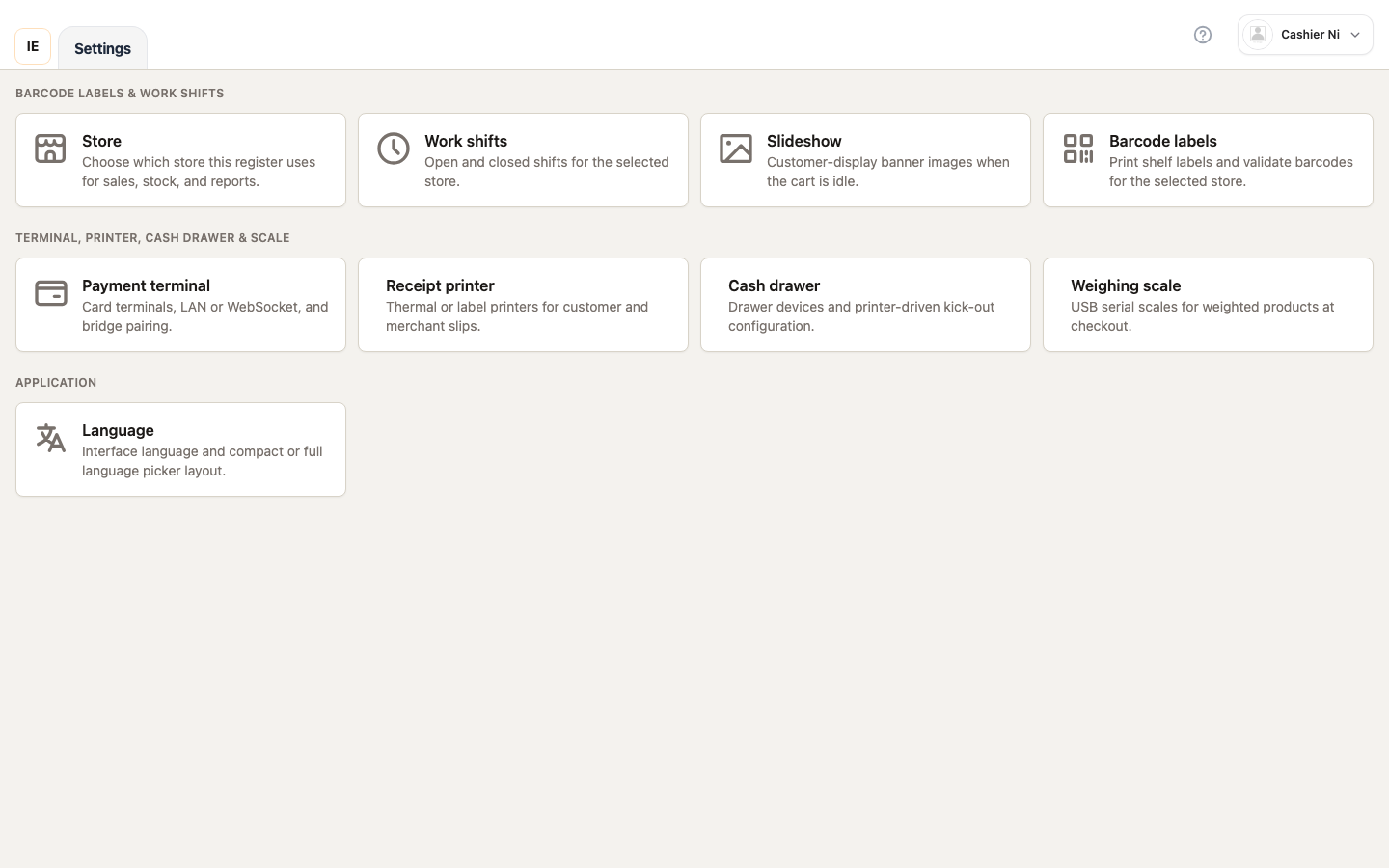 Image: the full settings hub — 3 sections (Operations / Hardware / Application) visible. Spec owner:
 cashier-screenshots.spec.ts → "settings — hub".
The 3 sections
Section titled “The 3 sections”1. Operations
Section titled “1. Operations”Visible when the cashier has pos write. Items:
| Item | Path | Extra condition |
|---|---|---|
| Store | /point-of-sale/settings/store | Active store is selected |
| Lane | PosSettingsLanePickerModal | Store has > 1 active lane and the employee has no pinned pos_register_id |
| Work shift | /point-of-sale/work-shift | — |
| Slideshow | /point-of-sale/settings/slideshow | — |
| Barcode labels | /point-of-sale/barcode | — |
2. Hardware
Section titled “2. Hardware”Visible when vendorShowPointOfSaleHardwareHubSection(profile) returns true (owner / settings write only). Each item opens a dedicated page built on the shared <DeviceSettings> component:
| Item | Path | hardwareFocus | Device type |
|---|---|---|---|
| Terminal | /point-of-sale/settings/terminal | terminals | payment_terminal (PAX / CodePay) |
| Receipt printer | /point-of-sale/settings/printer | printers | receipt_printer |
| Cash drawer | /point-of-sale/settings/cash-drawer | cash-drawer | receipt_printer (subtype) |
| Scale | /point-of-sale/settings/scale | scale | weighing_scale |
3. Application
Section titled “3. Application”Visible when the cashier has settings read/write or pos write. Items:
| Item | Path | Modal / Route | Condition |
|---|---|---|---|
| Language | PosSettingsLanguageModal | Modal | Always shown |
| Startup | /point-of-sale/settings/startup | Route | Electron + settings/pos write |
| About | /point-of-sale/settings/about | Route | Electron + settings/pos write |
| Local data | /point-of-sale/settings/local-data | Route | Electron + settings/pos write |
Access rules
Section titled “Access rules”settings-page.tsx checks 3 permission helpers (vendor-module-access.ts):
| Helper | Meaning |
|---|---|
vendorHasPointOfSaleWriteAccess(profile) | Has pos write → see the Operations section |
vendorHasPointOfSaleSettingsAccess(profile, pathname) | Has settings read/write → see Application items |
vendorShowPointOfSaleHardwareHubSection(profile) | Has settings write → see the Hardware section |
If all three are false, the cashier sees only the yellow lockedHint banner — ask the owner to grant the missing module.
Electron displays banner
Section titled “Electron displays banner”Above the sections, <PointOfSaleElectronDisplaySettings /> renders only when isElectron() && (showHardwareHub || canPosWrite || canSettings) — letting the owner configure the secondary customer display straight from the hub.