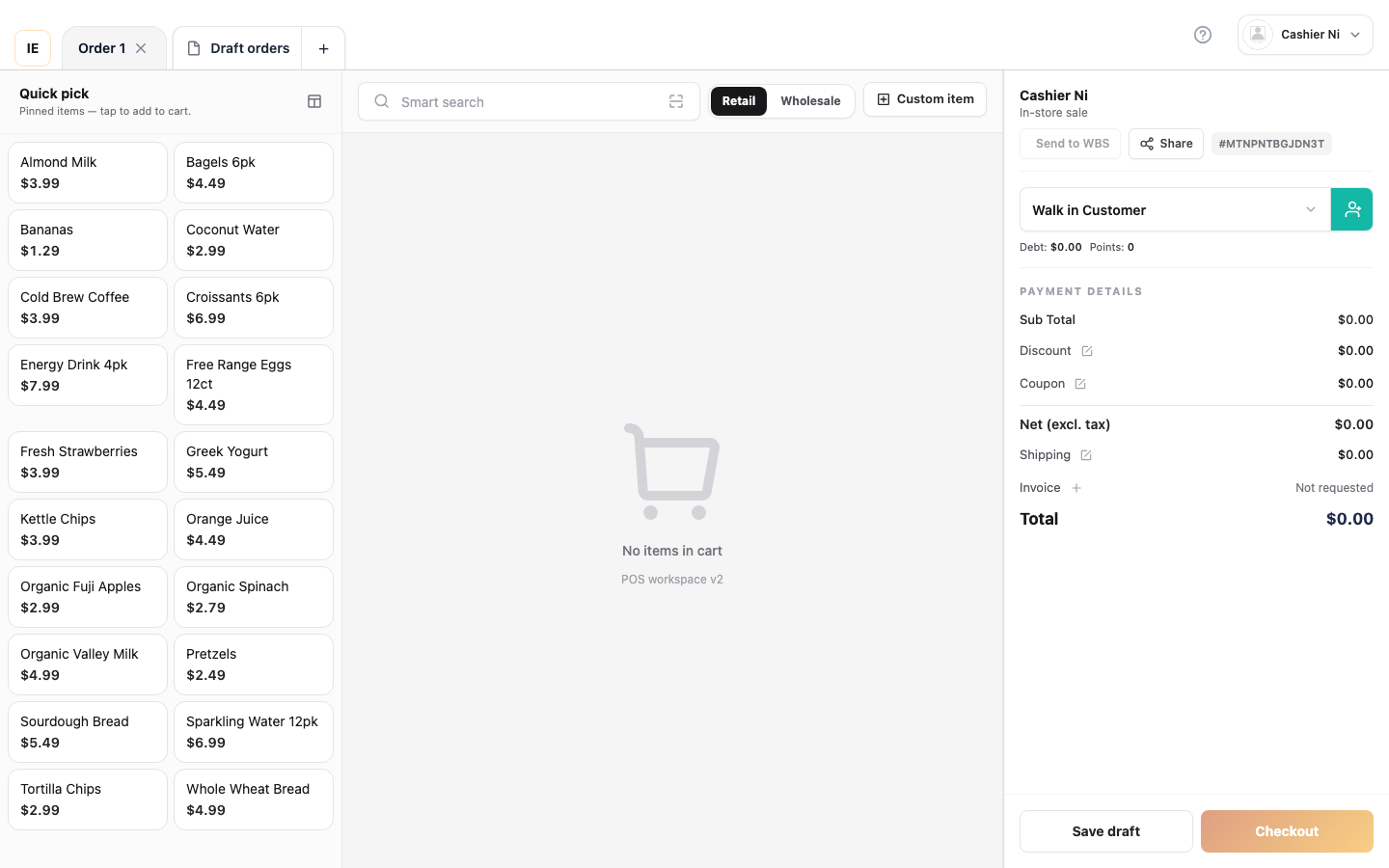
The Cashier workspace is the fullscreen point-of-sale interface at /point-of-sale/*, deployed as Vendor Desktop on lane PCs. It bundles cart, checkout, drafts, orders, returns, reports, printer and payment terminal integrations in a single fullscreen surface optimised for lane operation.
| Role | Typical access |
|---|
| Cashier / employee | Vendor Desktop on the lane PC; employee sign-in; pos write permission |
| Store owner | Vendor web dashboard for configuration; on the lane uses an employee account |
| Back office | Dashboard /pos or /dashboard/orders/create — see Other POS surfaces |
| Tab | Path | Purpose |
|---|
| Sale | /point-of-sale/sale | Add lines, checkout, print receipt |
| Items | /point-of-sale/items | Quick catalog lookup (active products) |
| Customers | /point-of-sale/customers | At-lane CRM (requires customer module) |
| Orders | /point-of-sale/orders | Order history; filter by status |
| Returns | /point-of-sale/returns | Process returns / refunds |
| Report | /point-of-sale/report | Daily sales summary |
| Work shift | /point-of-sale/work-shift | Open / close shift, cash count |
| Settings | /point-of-sale/settings | Hardware & preferences |
| Cashier — Vendor Desktop | Vendor dashboard (browser) |
|---|
| Application | Electron bundle on lane PC | Vendor web in Chrome / Edge |
| After sign-in | Only /point-of-sale/* | /dashboard/*, catalog, finance, HR |
| Layout | Fullscreen POS (side nav + top bar) | Sidebar + operational modules |
| Primary job | Tender sales, print receipts, terminal | Store config, stock, roles |
| Offline | Local SQLite + order outbox | Orders require network |