Wholesale orders
What is a wholesale order?
Section titled “What is a wholesale order?”A wholesale order is a B2B sale to a retailer or business customer. It differs from a regular (retail) order in two key ways:
| Feature | Retail order | Wholesale order |
|---|---|---|
| Pricing | Retail price from catalog | Wholesale / trade price from price lists |
| Payment | Cash, card, or debt (Khách nợ) | Debt on account — paid later per credit policy |
| Channel | POS, create-order | Wholesale workspace only |
| Reports | retail order type | wholesale order type |
A wholesale order creates a receivable — the customer pays you later, not at checkout.
Wholesale orders list
Section titled “Wholesale orders list”Open Sales activity → Orders then click the Wholesale tab (or go to /dashboard/orders/wholesale).
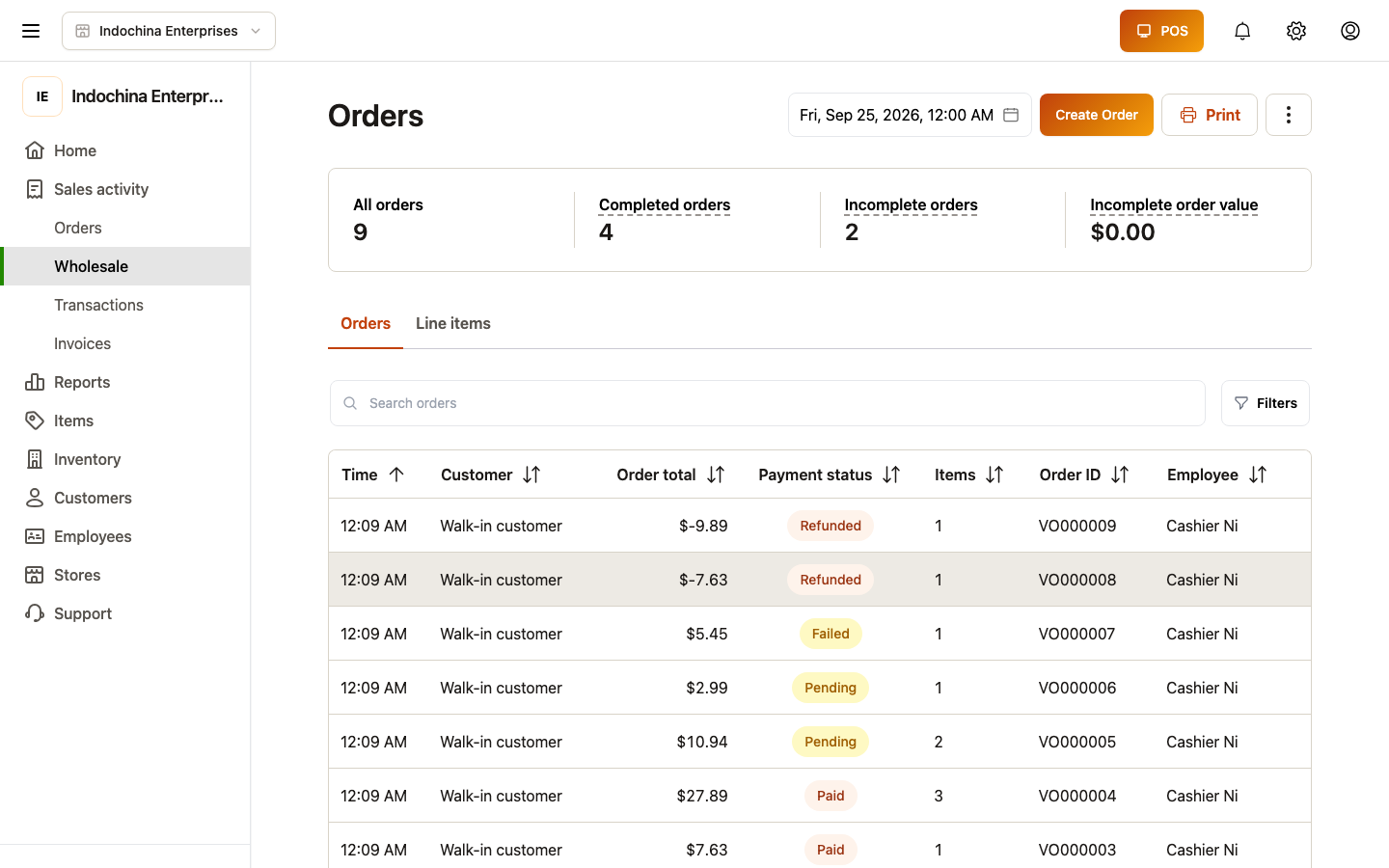
The table shows:
- Order id, customer, status, total, paid, balance / debt.
- Filter by date range, status, customer.
- Click a row to open the order detail — same detail view as retail orders.
- Create wholesale → opens the wholesale create form.
Create a wholesale order
Section titled “Create a wholesale order”- Orders → Wholesale tab → + New wholesale (or
/dashboard/orders/create-wholesale).
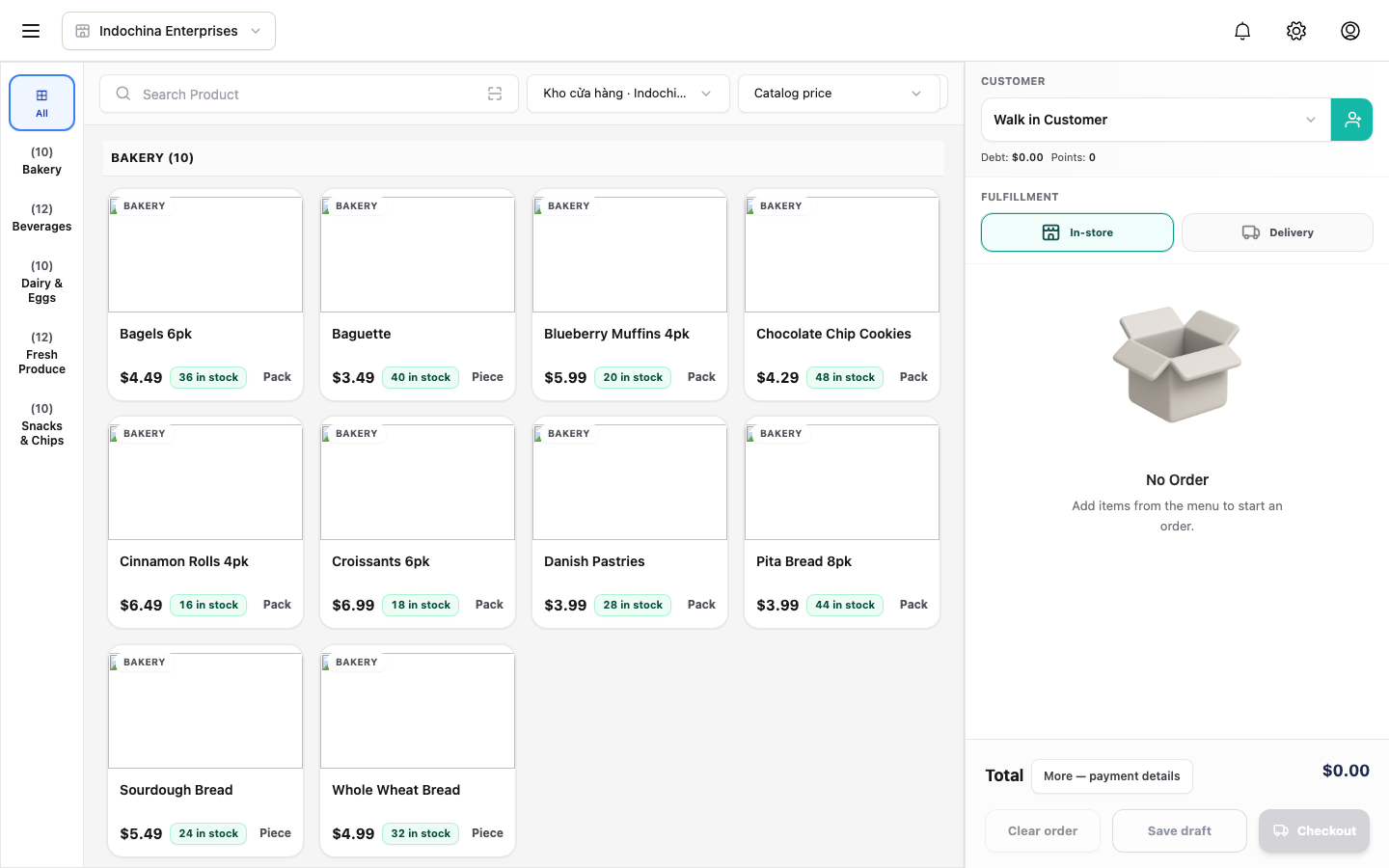
- The create form looks like a retail order, but the price column shows wholesale prices from the customer’s price list.
- Pick a customer — the wholesale price list kicks in automatically.
- Add items by search or scan. Quantities are typically higher than retail.
- Fulfillment: pickup or delivery (same modal as retail).
- Payment: the only option is Khách nợ (debt) — wholesale orders are always on account. Cash/card is not available for wholesale.
- Checkout — submit → order is created with
is_debt = true, a receivable row opens for the customer.
Wholesale credit policy — what controls the debt
Section titled “Wholesale credit policy — what controls the debt”Before placing, the screen shows a credit status banner if the customer has a policy. Three things can control how much they can owe:
| Layer | What it sets |
|---|---|
| Customer override | Per-customer term, due day, max open rounds. Wins if set. |
| Customer category | Wholesale defaults for a whole segment (e.g. Retailer A). |
| Store default | Store-wide policy. |
If the customer has overdue debt or would exceed max open rounds, the banner shows a warning or blocks the order depending on the rule.
Credit terms
Section titled “Credit terms”Three ways the due date is calculated:
| Term mode | How it works |
|---|---|
| None | No automatic deadline. Follow up manually. |
| N days after invoice | Due date = invoice date + N days (e.g. +30). |
| Day of next month | Due date = the Nth day of the next calendar month (e.g. 15th). |
The mode and value come from the customer, category, or store — whichever is set.
Managing open wholesale debt
Section titled “Managing open wholesale debt”- Finance → Receivables — every open balance across all customers. Filter to Wholesale if needed.
- Customer → Debt tab — single-customer view, with order-level breakdown and payment history.
- Collect payment — record a cash/card/bank payment from the receivable row. Overpayment becomes wallet credit.
Common questions
Section titled “Common questions”Wholesale customer not showing wholesale prices. Check:
- The customer has a customer category that sets wholesale defaults (or a per-customer override).
- The store has wholesale price lists active for those products.
- The customer is not in a category that overrides the wholesale list.
Order blocked with “max open rounds.” The customer has too many concurrent open wholesale orders. Collect payment on one of their open orders first, or raise the limit at Customers → pick → edit (per-customer override) or Customers → Categories → pick → edit (segment override).
Customer wants to pay now (cash/card). That’s a retail order, not wholesale. Use Orders → + New order (retail) instead. Wholesale orders always create a receivable.
Receipt on a wholesale order. Available from Orders → Wholesale → order detail → Receipt. The receipt shows the customer’s billing address and tax code if set.
Related
Section titled “Related”- Orders — retail order list, detail, and returns.
- Customers — wholesale credit policy, customer overrides.
- Finance — receivables, collection, and reports.
- Price lists — setting wholesale prices per SKU.