Settings — Profile, language, store
import { Aside } from ‘@astrojs/starlight/components’;
3 items in one page
Section titled “3 items in one page”| Item | Open from | Purpose | Permission |
|---|---|---|---|
| Profile | /point-of-sale/settings/profile | Name, password, sign out | Any cashier |
| Language | PosSettingsLanguageModal | UI locale (en, vi) | Any cashier |
| Store | /point-of-sale/settings/store | View the active store info | Requires pos write |
Visual reference
Section titled “Visual reference”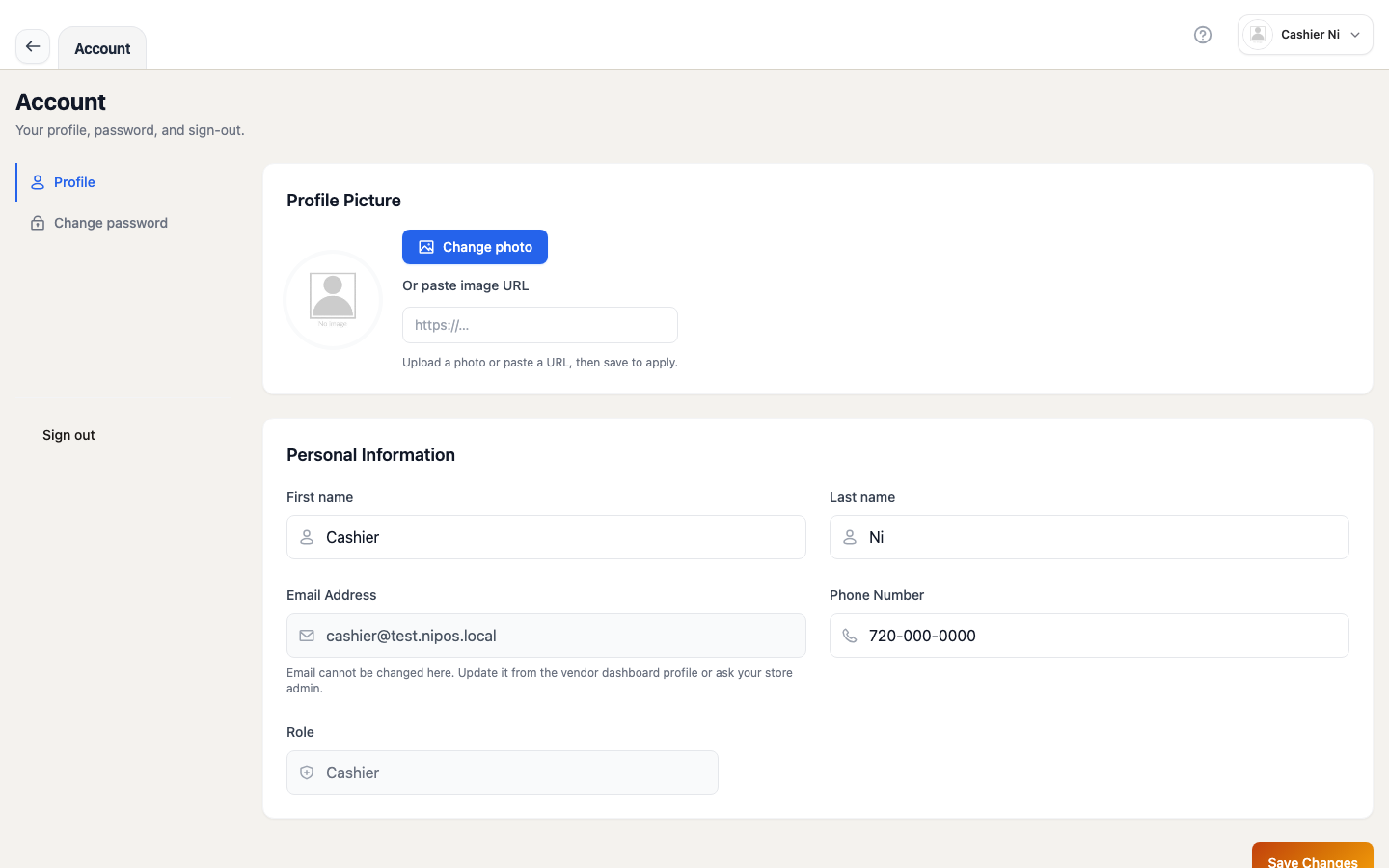 Image: Profile tab — email (read-only), name, avatar, sign-out button. Spec owner:
 cashier-screenshots.spec.ts → "settings — profile (with profile tab active)".
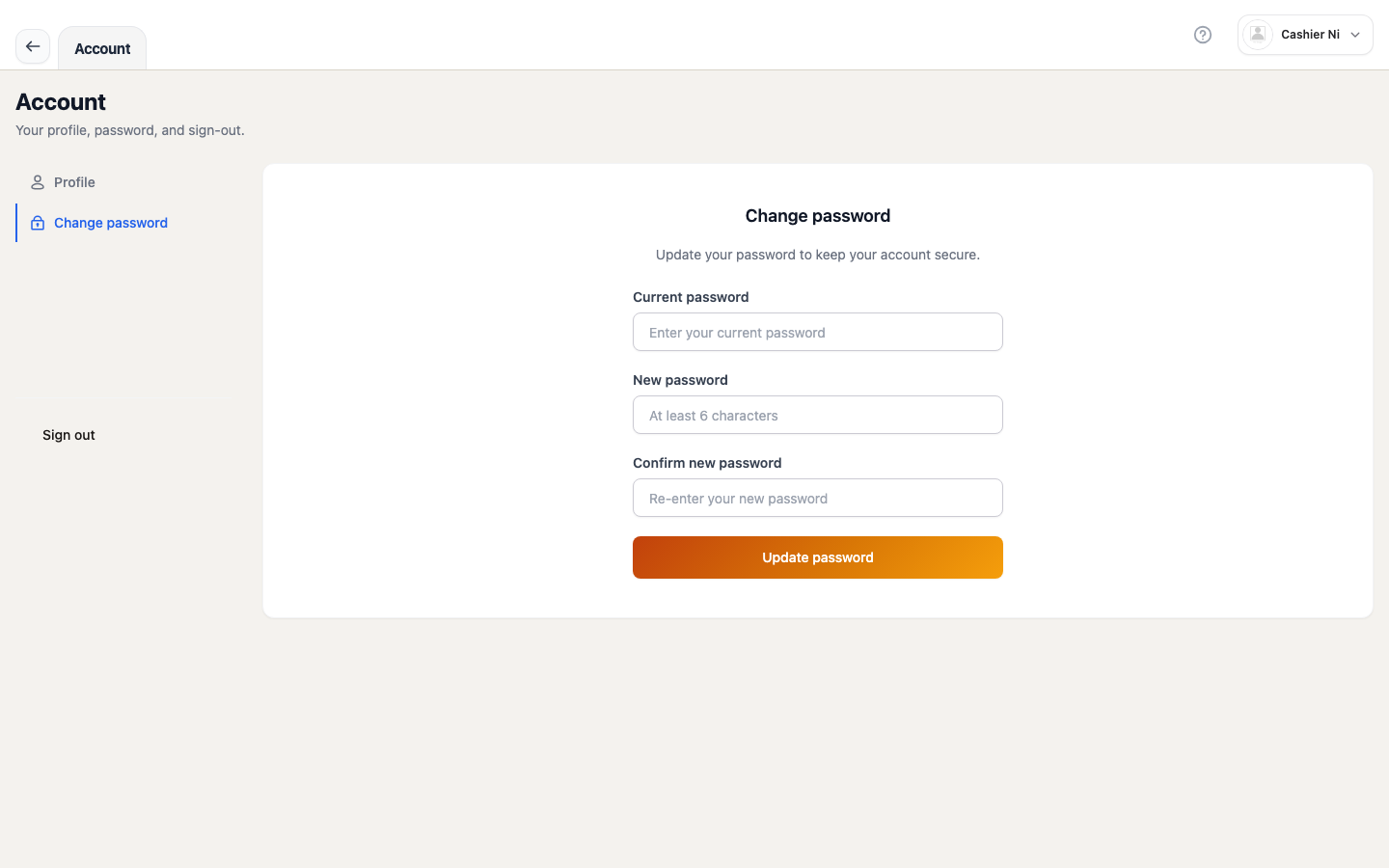 Image: Password tab — RHF + Zod form, real-time validation. Spec owner:
 cashier-screenshots.spec.ts → "settings — profile password tab".
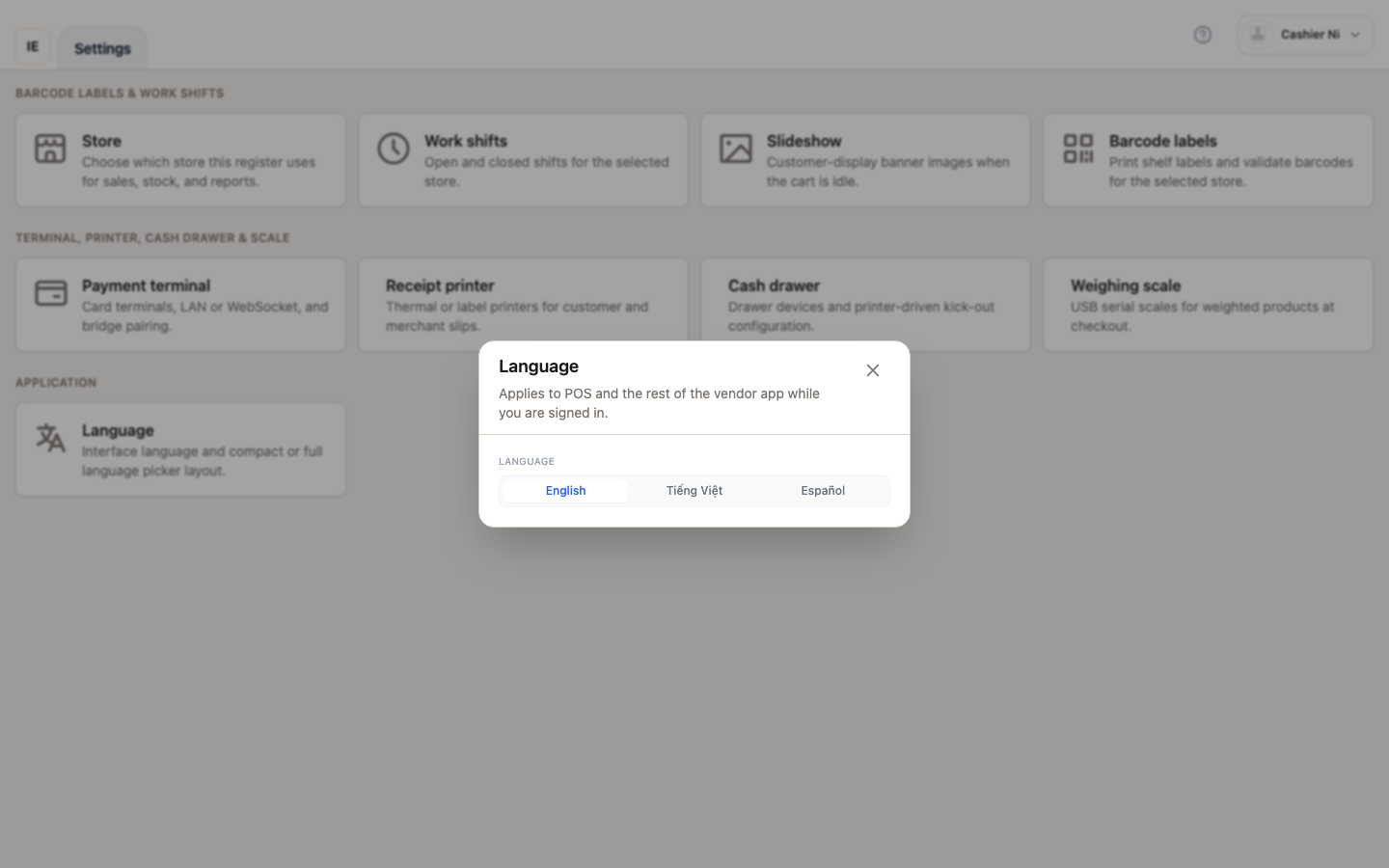 Image: locale picker (English / Tiếng Việt) — opens from the language card on the hub. Spec owner:
 cashier-screenshots.spec.ts → "settings — language modal (open)".
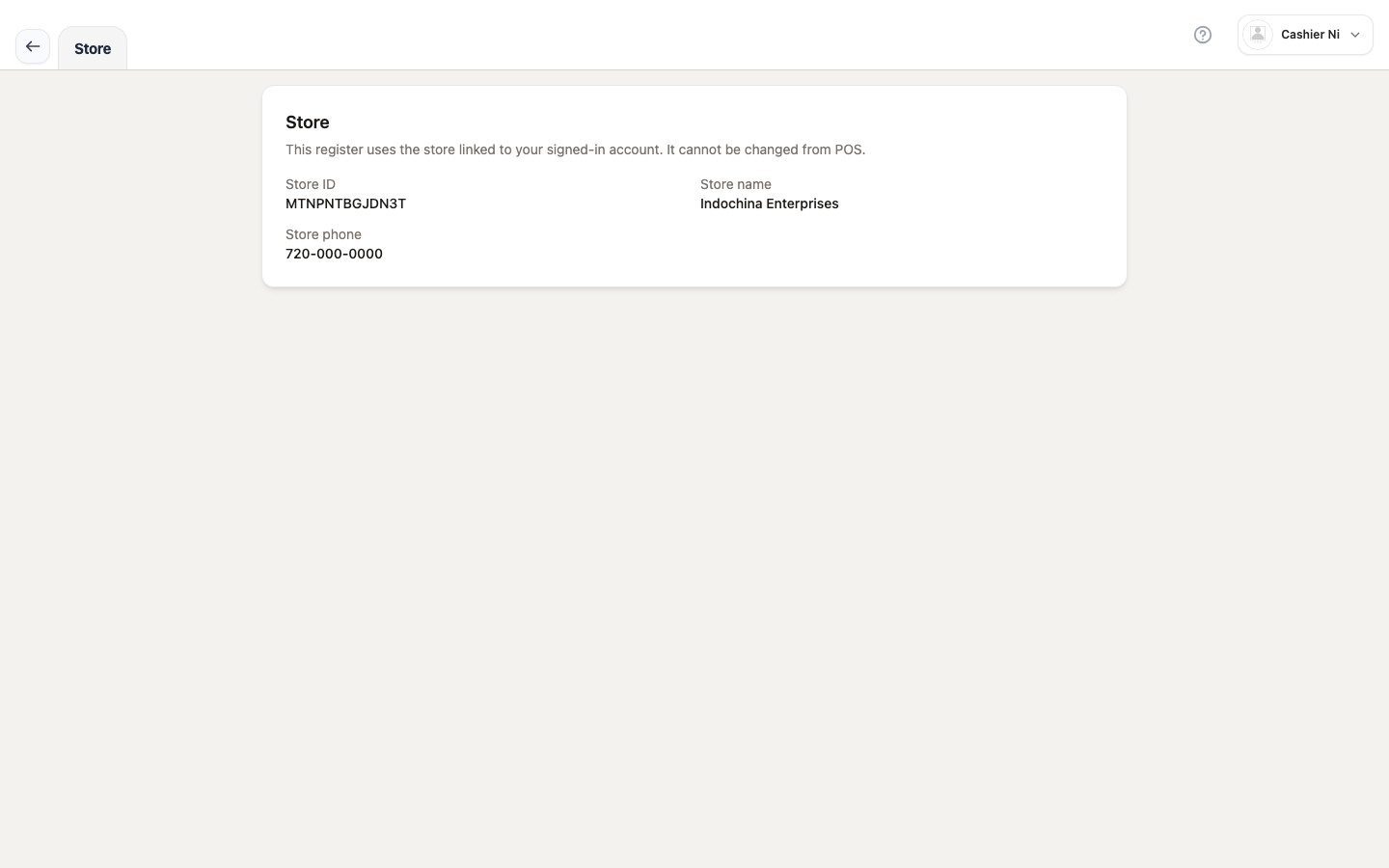 Image: store page — store ID, name, phone (read-only). Spec owner:
 cashier-screenshots.spec.ts → "settings — store info".
1. Profile
Section titled “1. Profile”Access
Section titled “Access”From the Cashier shell → Settings → Profile (/point-of-sale/settings/profile). The page has 2 tabs:
- Profile — display name, email (not editable), avatar.
- Password — change password with RHF + Zod (
<ChangePasswordSettings>).
URL sync: the active tab is stored via ?tab=profile or ?tab=password (useSearchParams).
Sign out
Section titled “Sign out”Scroll to the bottom of the page → click Sign out → confirm in <LogoutModal>.
Source: apps/vendor-web/src/app/point-of-sale/pages/settings/settings-profile-page.tsx.
- Email cannot be changed from POS — only the owner can change it in Dashboard.
- New password must satisfy the schema (
<ChangePasswordSettings>). - After sign-out, the cashier is sent back to
/cashier-login.
2. Language
Section titled “2. Language”Access
Section titled “Access”From the Cashier shell → Settings → Language → opens the Modal PosSettingsLanguageModal.
Supported locales
Section titled “Supported locales”- 🇬🇧 English — default for every new cashier.
- 🇻🇳 Tiếng Việt — switches the entire UI to Vietnamese.
Source: apps/docs ships /vi/ mirrors — when you switch to Vietnamese, the docs site also auto-switches to /vi/....
3. Store
Section titled “3. Store”Access
Section titled “Access”From the Cashier shell → Settings → Store (/point-of-sale/settings/store) — only shown when an active store is selected.
What it shows
Section titled “What it shows”This page is read-only (store editing happens in Dashboard):
| Field | Source |
|---|---|
| Store ID | usePosStoreId() |
| Store name | usePosStoreBrand().name (falls back to “Unnamed store”) |
| Phone | store.phone (if present) |
Source: settings-store-page.tsx.
Switching the active store
Section titled “Switching the active store”Not from this page — use the store selector on the Cashier shell’s top bar. When switching:
- Catalog, prices, customers, tax all change (one dataset per store).
- The cart is cleared — finish or save as draft before switching.
- Employees pinned to one store (
profile.store_id) won’t see the dropdown.
See Sale — with customer and FAQ — sale & checkout → Session expired.
Common issues
Section titled “Common issues”| Symptom | Fix |
|---|---|
| Email field is empty / disabled | Email cannot be changed from POS; owner changes it in Dashboard |
| “Password” tab shows validation errors | New password must be long enough and different from the current one |
| “Store” item missing | No active store selected on the top bar, or missing pos write |
| Language change doesn’t affect the shell | Reload POS (Ctrl/Cmd + R) after changing the locale |